

 Hazel Ryan
How to get Trustpilot reviews: the short answer
To get Trustpilot reviews, invite every customer through Trustpilot's own invitations or a review link, at the same point in their journey, with neutral wording and no reward. Give them time to use your product first, send one reminder, and repeat the same process every month so new reviews keep arriving.
That process sounds basic, but most profiles stall because the asking is irregular. A team sends a burst of invitations after a launch and then nothing for six months, so the profile looks quiet to every buyer who checks it in between.
Trustpilot is also an open platform. Under Trustpilot's guidelines for reviewers, anyone over 18 with a genuine experience from the last 12 months can write a review without being invited. Invitations do not replace those organic reviews, but they are the part of your review flow you control.
Why Trustpilot for business matters to SaaS teams
Trustpilot for business is most useful to B2C and prosumer software, where one person decides in minutes whether to sign up. That buyer often checks the Trustpilot profile, glances at the TrustScore and reads a few recent reviews before starting a trial. A profile with fresh, specific reviews answers the question "do people like this product?" faster than any landing page.
The effect is measurable. In a 2022 survey Trustpilot commissioned from London Research, 71% of 1,000 US consumers agreed that a good Trustpilot score makes them more likely to buy from a brand, and 73% said it makes them more likely to trust it. The survey was paid for by Trustpilot, so treat it as a signal of how consumers talk about the platform.
Some teams decide to buy Trustpilot reviews as a managed campaign when their own invitations are too slow, with verified users reviewing the product in their own words within Trustpilot's rules. If your buyers also read G2 or Capterra, all our review services follow the same approach on those sites.
Set up your Trustpilot profile before you invite anyone
A complete profile makes every invitation work harder. Before you send the first request, claim your free business account, verify your website domain and fill in the description, logo, categories and contact details. Buyers who arrive from an invitation should land on a page that clearly belongs to you.
It also pays to decide who on your team owns reviews. Someone needs to watch new reviews each week, reply to them and keep the invitation flow running. Without an owner, invitations tend to stop the moment the person who set them up moves to other work.
The ways to invite customers to review you on Trustpilot
Trustpilot gives businesses several ways to send review invitations, and most teams use two or three of them together. Trustpilot's review invitation tools cover automated emails, review links, integrations and an API, and Trustpilot says reminder emails collect 35% more reviews on average.

Trustpilot invitation emails
Trustpilot can send invitations for you after an order, sign-up or other event. You pass it the customer's details, and Trustpilot sends the email and the reminder. This is the easiest way to start, and it is where the Automatic Feedback Service on the free plan fits.
Review links and QR codes
A review link is a single URL that opens your Trustpilot review form. You can place it in your own onboarding emails, inside your app, on invoices or in a help centre article that every customer sees. Trustpilot's QR code collector is part of the paid plans from Plus upward, and a printed or on-screen code works well for products used on site.
Integrations and the API
Trustpilot connects with Shopify, HubSpot, Salesforce, Zendesk, WooCommerce and other tools, so invitations can go out from systems you already use. Teams with custom flows can use the API, which Trustpilot lists as an add-on for its Premium and Enterprise plans.
How many invitations each plan sends
The number of automated invitations depends on your plan. According to Trustpilot's pricing page, checked in October 2026, the free plan includes 50 automated invitations a month, Starter 100, Plus 300, Premium 1,000 and Enterprise has no fixed limit. Many small teams also share a review link in their own emails, so every customer gets the same request.

Trustpilot's rules for review invitations
Every invitation method follows the same rules, set out in Trustpilot's guidelines for businesses. The core rule is that invitations must be fair, neutral and unbiased, with no incentives. In practice, that means inviting everyone in the same way and at the same point in the customer journey, whether their experience was good or bad.
The guidelines name the practices that break this rule. You may not pick and choose which customers to invite, send happy customers to Trustpilot and unhappy ones to your support team, or time invitations so that only satisfied customers reach them. You may not offer discounts, promo codes, prize draw entries, refunds, freebies or any other benefit for a review, and you may not suggest that customers only leave positive reviews.

The wording of the invitation matters too. Trustpilot asks for fair, neutral language, so "Tell us about your experience" is fine, while "If you like us, please leave us a 5-star review" is the example the guidelines give of what not to say. Trustpilot also asks businesses not to collect reviews on their own devices, such as a tablet handed to customers at a counter.
The penalties are real. The action Trustpilot takes against misuse includes removing reviews collected against the guidelines and placing a Consumer Warning on the profile, usually for six months, and Trustpilot can also end a paid subscription. A warning hides your TrustScore while it shows, which costs far more than the reviews were worth.
Want reviews without the risk?
See how our review campaigns work, from the written plan to the last review, all inside Trustpilot's rules.
When to send Trustpilot review invitations
Timing decides how many customers answer. Trustpilot's guidelines ask businesses to give customers time to experience the product before asking for feedback, which for software usually means waiting until onboarding is done and the product is part of their routine. An invitation sent on the day of sign-up asks for an opinion the customer does not have yet.
Pick one fixed point that every customer reaches, such as 30 days after sign-up, and use it for everyone. A fixed point keeps you inside the "same point in the customer journey" rule and gives you a fair sample of opinions. Avoid triggers that only happy customers reach, such as the moment they upgrade, because the guidelines treat that kind of timing as selective inviting.
Send one reminder a few days after the first email. Trustpilot's own figure for reminders is 35% more reviews on average, and one reminder is usually enough. More than one starts to feel like pressure and rarely adds much.
How to get more Trustpilot reviews every month
Once invitations are running, the question becomes how to get more Trustpilot reviews from the same customer base. The answer is consistency: the profiles that grow fastest are the ones that ask every customer, every month, through more than one channel.
- Use two channels. Pair Trustpilot's automated emails with a review link in your onboarding emails or app, so customers who miss one see the other.
- Keep the request short. One sentence on why reviews matter, one link and no extra steps.
- Reply to reviews. Customers notice when a company answers, and future reviewers see that someone is listening.
- Watch your pace. A steady flow of new reviews looks natural, while a sudden spike after months of silence draws attention.
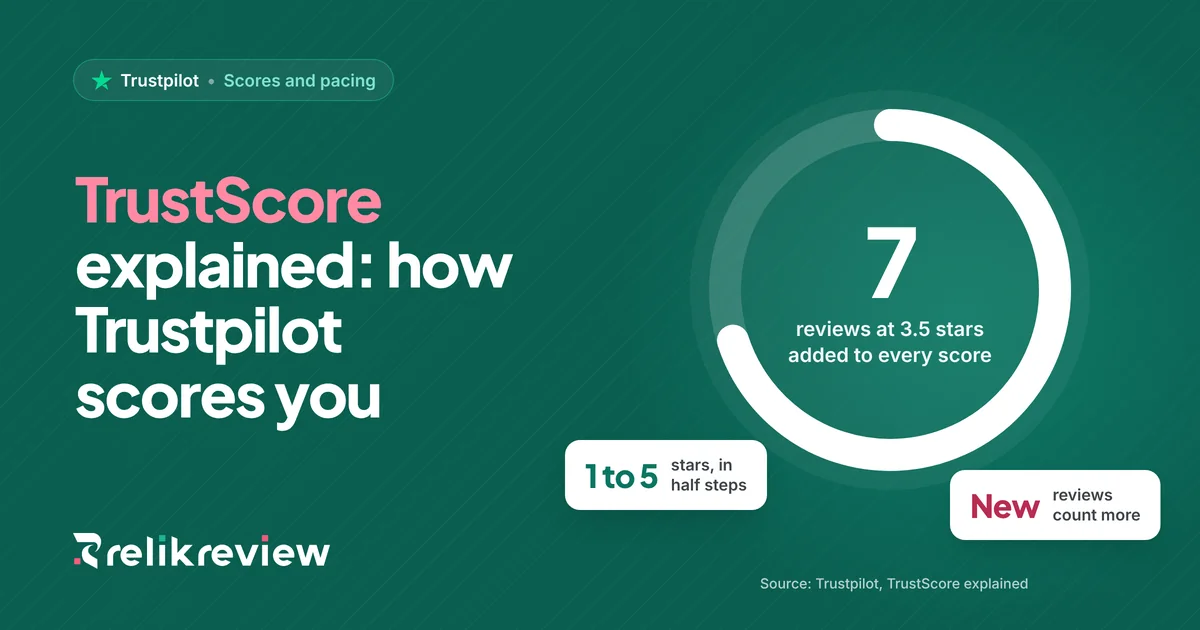
Your TrustScore rewards this kind of steady flow, because recent reviews count for more than old ones. Our guide on how TrustScore works explains the formula, and the free TrustScore calculator shows how many new reviews it takes to move your score. For scripts you can adapt for email, in-app messages and calls, see our guide on how to ask customers for reviews.
Mistakes that get Trustpilot reviews removed
Most removed reviews come from shortcuts that seemed harmless at the time. Asking staff, friends or family to review the business is one, because their reviews are not based on a genuine customer experience. Copying reviews from another site, writing reviews on behalf of customers or reviewing from a second account are others.
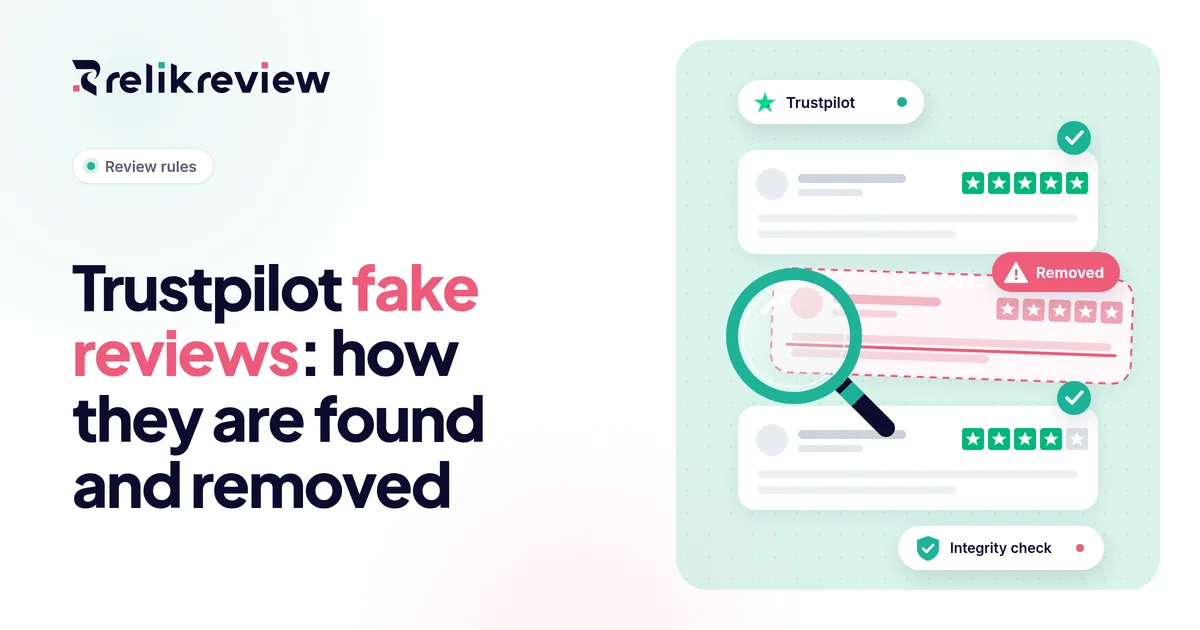
Buying fake reviews is the riskiest shortcut of all. Trustpilot's software checks every review, and businesses caught collecting fake reviews face the same Consumer Warning described above. Our guide to Trustpilot fake reviews explains how they are found and what happens next.
The safe rule is easy to remember. If a review would not exist without a reward, a filter or someone other than the customer writing it, Trustpilot will treat it as a problem, and the honest way to increase Trustpilot reviews is to ask more customers more consistently.
 Trustpilot review service
Want more Trustpilot reviews? Let RelikReview run the campaign
RelikReview runs Trustpilot campaigns end to end, so you can buy Trustpilot reviews that follow every rule above. You get the plan, timing and price in writing first.
- Verified users, own wordsEach reviewer chooses their own rating.
- Paced to look naturalReviews arrive steadily, with no sudden spikes.
- Free replacementIf a review is removed during the delivery window, we replace it.
Getting Trustpilot reviews the right way
Learning how to get Trustpilot reviews comes down to one habit: invite every customer the same way, at the same point, with neutral wording and no reward. Set up your profile, choose your invitation methods, wait until customers have used the product and send one reminder.
Do that every month and your profile fills with recent, specific reviews that new buyers trust. If you would rather hand the work to a team that runs it every day, RelikReview can help you buy real reviews from verified users within Trustpilot's rules.
FAQs about getting Trustpilot reviews
Is it free to get reviews on Trustpilot?
Yes, a business can collect Trustpilot reviews for free. The free plan includes a claimed profile, review replies and 50 automated invitations a month, and you can also share a review link with every customer. Paid plans add more automated invitations, the QR code collector and API access, but none of them is required to start collecting reviews.
Can you ask customers for Trustpilot reviews?
Yes, Trustpilot allows businesses to ask customers for reviews, as long as every customer is invited the same way. The invitation must use neutral wording, offer no reward and avoid asking for a positive rating. Inviting only customers you expect to be happy breaks Trustpilot's guidelines and can lead to removed reviews.
Can you offer an incentive for a Trustpilot review?
No, Trustpilot does not allow incentives for reviews. Its guidelines for businesses ban discounts, promo codes, prize draw entries, refunds, freebies or any other benefit in exchange for writing or editing a review. Reviews collected with incentives can be removed, and repeated misuse can lead to a Consumer Warning on the business profile.
How long does it take to get Trustpilot reviews?
The first Trustpilot reviews can arrive within days of sending invitations, once customers who have used the product open the email. Building a profile buyers trust takes longer: a steady flow every month for a quarter or more gives you enough recent reviews to show a clear pattern and a stable TrustScore.
Why are my Trustpilot reviews not showing?
Trustpilot reviews may not show because they are being checked, were flagged, or were removed for breaking the guidelines. Reviews collected by inviting only happy customers or with incentives are taken down. If you followed the rules, check that invitations went to real customers and that the reviews were about genuine experiences from the last 12 months.